

Picture perfect: Capturing the holidays through your smartphone lens

Courtesy of Paige Crossland
Paige Crossland of PaigeLCro Photography recommends making family photos a fun, relaxed experience. Giving your kids, nieces or nephews a holiday book to read or a cookie to snack on during a photo session makes for some sweet moments you’ll cherish forever.
Katherine Mansfield/Observer-Reporter
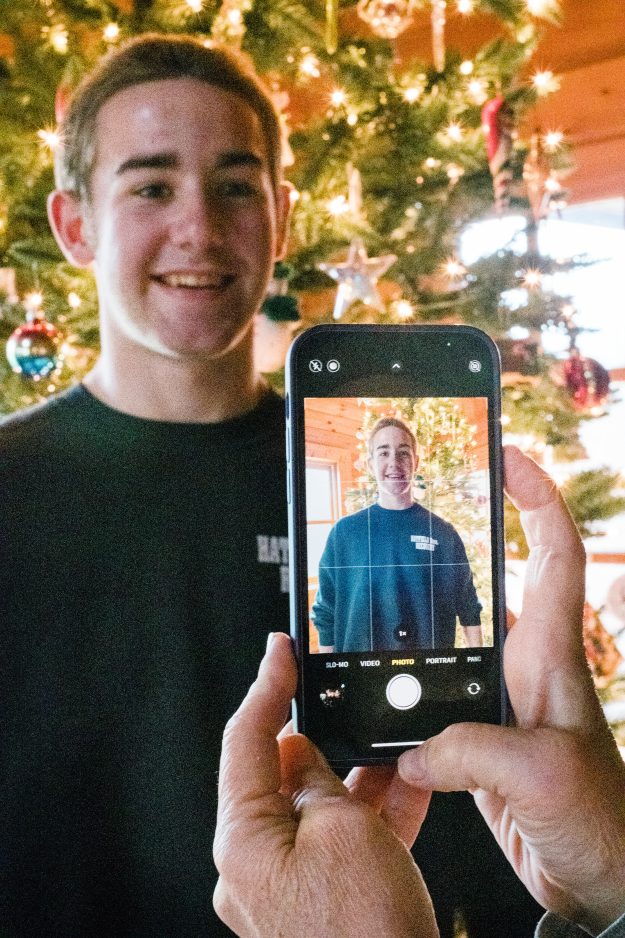
If you struggle to keep things straight in your camera frame, turning on the grid is a simple way to make sure people and objects aren’t crooked – and centered correctly. Note the lines on the camera phone here; turn them on in camera settings, grid.
Courtesy of Kimber Morgan
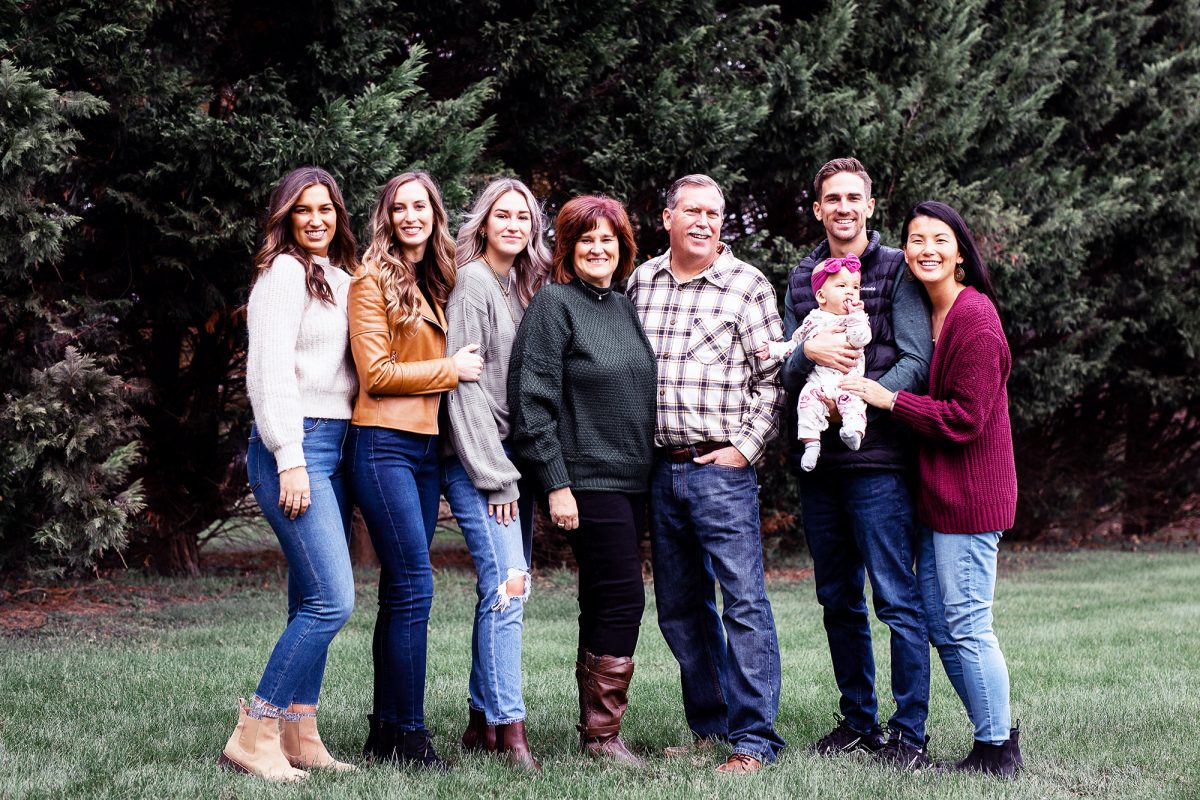
Kimber Morgan, far right, of Darling & Dear says symmetry is the secret to a good family photo. This image is a great example of how to arrange family for holiday photos: draw a line down the center of the group, and have everyone face the center for a flattering, balanced portrait.
Katherine Mansfield/Observer-Reporter
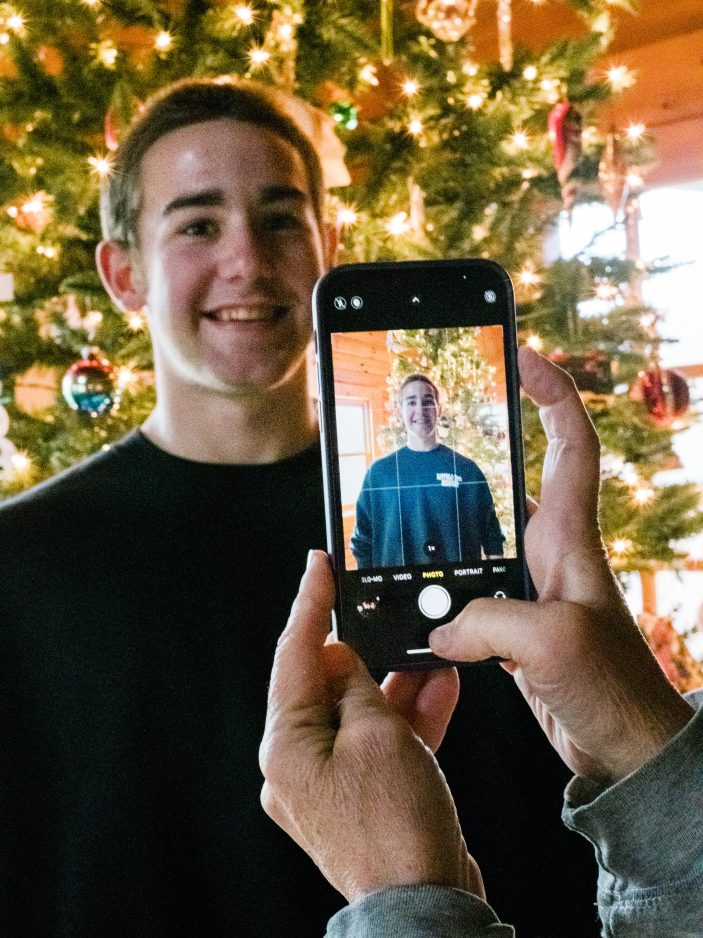
Kimber Morgan of Darling & Dear says a photo like this is classic, but recommends shining a light source on your subject’s face when snapping that classic Christmas tree pic. Indoor photos turn out best when taken in well-lit rooms.

Katherine Mansfield/Observer-Reporter
Paige Crossland of PaigeLCro Photography in Uniontown said asking an older sibling to whisper something funny often makes for sweet holiday phone pics. Here, Anna and Sadie Perry of Uniontown share a moment that they’ll fondly look back on years from now.
It’s that time of year when the world’s all aglow in twinkly lights, and toasty warm homes smell of freshly-baked cookies.
It’s also the time when loved ones share holiday photos on social media.
If you’re discouraged by a phone photo album filled with blurry moments, consider this an early Christmas gift. Local photogs share their tips for holly, jolly family photos you’ll love so much you just might print them.
First things first…
A good photo begins with a clean lens. Before you start snapping, clean your camera lens or lenses with a microfiber cloth (a soft shirt or scarf works, too) to clear away dust and smudges that might blur your photos.
If you’re shooting outside, make sure to have a dry cloth on hand to clear away flecks of snow or raindrops during your well-documented winter excursion.
Lighting is key
“The most important thing is lighting,” said Paige Crossland, who opened the newborn and family photography company PaigeLCro Photography in Uniontown 10 years ago.
Both Crossland and Kimber Morgan, a Chambersburg wedding, family and portrait photographer who began Darling & Dear Wedding Images in Waynesburg and returns to the area for sessions on occasion, recommend taking photos outdoors on cloudy days or in well-lit rooms, when possible.
“As long as you have a good light source on your subject’s face or on your subject, you have a pretty good chance of your photo turning out well,” Morgan said.
When shooting outside on a sunny day, Crossland recommends finding shade or positioning people with their backs to the sun.
“That avoids the squinty eye or harsh light on someone’s face,” she said.
If you’re capturing moments inside, natural light is the best source.
“Open those curtains,” Crossland said. “You don’t want to put your back to the window; you want to be 90 degrees to the window so that the light comes in to the side of your face or the front of your face.”
Morgan said photos in front of a Christmas tree are classic, but hard for camera phones to capture well.
“Avoid being backlit, having … the primary light source behind your subject. A camera phone just does not handle that situation well,” she explained. “Either your subject will be more properly lit and your background will be blown out, or the opposite. As great as it is to take a picture in front of the Christmas tree, if you want to get the tree in the background, stand in front of it. Make sure that there is a good light source on (the people) so the camera can pick up detail on faces.”
Forget the flash
A well-lit subject is key, but both photographers caution against phone camera flash.
In Crossland’s experience, flash “takes away the background. It puts harsh light on your face.”
Morgan agrees.
“You can get a nice disposable camera-type of photo product if you do use it – that’s up to people’s discretion,” she said. “Unless it’s after sunset and the flash on your camera is the only source of light you can get to light up your subject’s face, if there are other light sources, (use those).”
Burst(mode) with joy
Focusing on your subject is as easy as tapping a phone screen. Determine your subject (cute niece or beautiful pie? You’re the photographer, you make the call!), touch your finger where the subject appears on your phone, and you’re ready to shoot!
You’ll know the photo is focused when a box appears on-screen around your subject.
Some stress over taking sharp images, but Crossland said capturing professional-grade images isn’t the goal.
“You might have a little bit of blur,” said Crossland, especially if kids and pets move the moment you’ve positioned them for the perfect holiday shot.
“There’s kind of nothing you can do about that with a cellphone,” she said. “Don’t be afraid to keep pressing that button. Take lots of photos. A lot of phones have burst setting, those kinds of things are good to utilize.”
In burst mode, your camera captures several images, and you can choose the best one to share after documenting the moment.
For iPhone 11 or newer, enable burst mode by holding the shutter button and dragging left (if you’re holding the phone vertically) or down (if you’re holding the phone sideways).
For older iPhones and Androids, simply hold the shutter down as long as you’d like to shoot in burst mode.
Once you’ve got the hang of focusing, feel free to get artsy with lighting. Next to the focus box, you’ll see a line. Drag your finger up along the line to brighten an image or slide down to darken the photo before you snap.
Slow and Steady
If reducing blur is your goal, Crossland’s got a couple tricks for minimizing camera shake up her holiday sweater sleeve.
“Using the self-timer is a great option,” she said. “Set the camera on a window sill if you don’t have a tripod. They actually make really nice little tripods for cellphones.”
Crossland said iPhone users can operate their camera using the Apple Watch, which allows families to set up for a sweet selfie without someone making a mad dash to the empty spot in the frame while the timer counts down from 10.
Speaking of framing…
Before snapping the shutter, take a moment to ensure everyone’s in frame and no one is missing a limb.
“One of my pet peeves is cutting people’s feet off,” laughed Morgan. But, she said, framing is more than ensuring all bodies are in a picture.
“People tend to want to lace their arms behind one another. It just spreads everybody out. If you want a nice-looking photo that’s just well composed,” she said, “bring everybody nice and close. Close the gaps between your bodies.”
Morgan also recommends drawing an imaginary line down the center of the group and having folks angle their belly buttons at the line.
“It’s a flattering angle,” she said. “It makes for a nice-looking photo.”
If you’re looking for ways to jazz up portrait compositions, follow the rule of thirds. Imagine your phone screen is divided into nine squares (or turn on the guide by going to settings – camera – grid).
Position your fur baby or grandma in the lower left third, with pretty twinkle lights in the background, or play with angles for more interesting holiday pictures.
Zoom is for virtual get-togethers…
… not phone photography. Because of the way phone cameras are constructed, zooming in actually decreases image quality.
“Walk closer or back away from the subject,” Crossland recommends.
Have fun
They may not be award-winning images, but the photos you take with your camera phone are an important part of your family’s history.
“People don’t realize the value that a picture has until much later,” said Crossland. “Those things become so important – heirlooms and treasures to have forever.”
For more polished photos, Morgan recommends decluttering.
“Pay attention to your environment. Pick up any cups, watch for sunglasses, masks,” she said.
Declutter, but don’t stress.
“I think camera phones are a wonderful thing,” said Morgan. “When groups of families and friends get together, I think it’s special to capture those times. Everyone wants the professional photos, but as far as the moments you want to capture and cherish … camera phones do a great job.”
“Absolutely capture those moments on your camera, but just be mindful … you’re not spending your entire holiday documenting it instead of enjoying it,” she continued. “We kind of stress over getting everybody together for a photo. They’re not worth stressing people out or missing out on other holiday traditions or fun.”
Crossland agrees with Morgan that holiday photos should be laid-back, almost part of the celebration.
“Authentic emotion – that is the most important thing,” said Crossland. “The best family photos are the little moments. Don’t try to change who you are for the sake of a good photo. What you and your family already do and the traditions that you already made are good enough.”